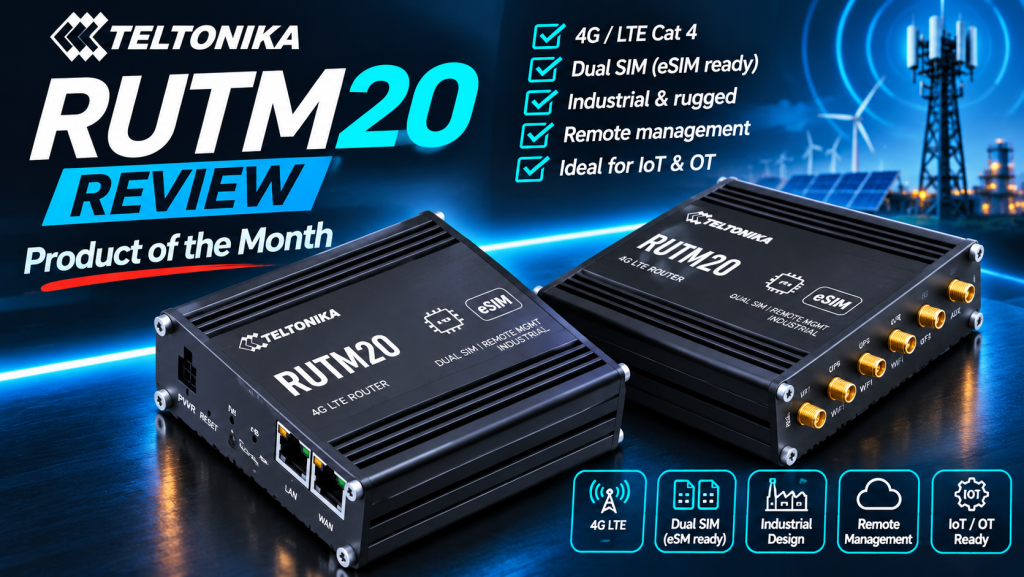
Product of the Month: why the RUTM20 gets my vote
I was going through the Teltonika range recently, wondering how it had grown so big so quickly, and I re-read the RUTM20 specification. It felt like finding £20 in a jacket I hadn’t worn for a while. When it launched it was easy to forget: no headline speed record, no long list of ports, no big price story. Having looked at it again properly, I think it deserves far more credit than another rehashed datasheet.
The irony is hard to miss. The RUTM20 is the router that lets you simplify your SKU list, and it got lost in an over-crowded SKU list. So it is IoTPortal’s first Product of the Month, and this is my case for it.
If you want the background on what the RUTM20 is, I covered that in January in Teltonika RUTM20: A Compact 5G Router Built for Global IoT Deployments. This piece is about why I now rate it as the router to standardise on.
RUTM20 at a glance
| Feature | RUTM20 |
|---|---|
| Cellular | Global Telit 5G modem, 3GPP Release 16, 5G SA and NSA, LTE Cat 19 fallback |
| Peak 5G download | Up to 3.4 Gbps |
| SIM | 2 x physical SIM slots plus integrated eSIM, automatic failover |
| Ethernet | 2 x Gigabit RJ45 (1 x WAN, 1 x LAN) |
| PoE in (WAN) | Active 802.3af/at at 44 to 57 V, or passive PoE at 9 to 50 VDC |
| PoE out (LAN) | Active 802.3af/at, up to 30 W, when the router is fed 44 to 57 VDC |
| Wi-Fi | Dual-band Wi-Fi 5 (802.11ac), up to 867 Mbps |
| Power | 9 to 50 VDC via 4-pin industrial connector, or PoE on the WAN port; both can be connected at once |
| Size and weight | 100 x 30 x 93.7 mm, 319 g, anodised aluminium, IP30 |
| Operating temperature | -40 °C to +75 °C |
| Mounting | DIN rail, wall or flat surface (each needs the optional kit) |
| Certifications | CE, UKCA, CB, RCM, FCC, PTCRB, WEEE |
| Antenna connectors | 4 x SMA mobile, 2 x RP-SMA Wi-Fi |
| Security | TPM chip for key storage |
| Software | RutOS, Teltonika RMS remote management |
| Typical price | Around €500 to €600 in Europe |
A walk around the hardware
Specification tables only tell you so much. The RUTM20 makes more sense once you look at the two ends of the box, because everything an installer touches is on one face and everything the radio needs is on the other.
The front: power, SIMs and Ethernet

Reading left to right, you get the 4-pin industrial power connector (9 to 50 VDC), a power LED, the reset button and the mobile and signal-strength LEDs. The physical SIM slots sit behind a removable panel on this face, so you swap SIMs without opening the case.
Then come the two Gigabit Ethernet ports, and this is where the RUTM20 earns its place. The label on the lid spells it out: PoE in (802.3af/at) arrives on the WAN port, and PoE out (802.3af/at) leaves on the LAN port. So the WAN port can take both data and power from a PoE switch or injector, and the LAN port can power the camera or device next to it. The lid also carries the TPM and eSIM marks and the default management address, 192.168.1.1.
Two ports is deliberately minimal. One in, one out, and if you need more local devices you add a small switch. For most of the jobs I describe below, two is exactly right.
The back: six antenna connectors

The rear carries six antenna connectors: four SMA for the mobile modem, marked MOB, and two RP-SMA for Wi-Fi, marked WiFi. They are interleaved, so read the markings rather than assuming the outer pair are Wi-Fi.
The four mobile ports are the bit people skimp on. A 5G modem with four antenna ports is designed to use all four, and connecting only two to save on cable or a cheaper antenna throws away much of the throughput and reliability you paid for. In a cabinet, a single 4-in-1 5G MIMO antenna keeps it to one roof hole. If you are choosing one, our antennas section is the place to start.
Because mobile and Wi-Fi use different connector types (SMA and RP-SMA), you cannot easily cross them by mistake, which is a small but welcome bit of installer-proofing.
One box instead of three SKUs
Most integrators I know carry a 4G router for the cheap jobs, a 5G router for the jobs that need it, and a different model again when the customer wants something small or something that powers a camera. Every extra model means another config template, another firmware baseline to track, another spare on the shelf and another thing for engineers to learn.
The RUTM20 collapses most of that into one part number. It runs on 4G today and 5G when the coverage and the budget arrive, it uses the same global modem wherever the job is, and it powers the device next to it. That is what makes it a standardisation decision rather than a product choice.
My test for a “standard” router: could I specify it for the next ten different jobs without checking the datasheet each time? For a large share of small-site and edge work, the RUTM20 passes. Very few compact routers do.
Futureproofed in both directions
There are two kinds of futureproofing here, and both matter.
The first is the radio. A 5G router with Cat 19 LTE fallback is not a gamble on 5G coverage. Deploy it on a 4G site now and it is already the right hardware when 5G arrives, including standalone 5G on networks that support it. There is no hardware swap and no second site visit.
The second is connectivity. With two physical SIMs and an integrated eSIM, the network decision can change after installation. You can fit a local SIM for cost, keep a second network as failover and use the eSIM to move operators remotely when commercial terms or coverage change. If you want the background on how that works, our explainer on what an IoT eSIM is is a good place to start, and euicc.co.uk and sgp32.co.uk go deep on the standards behind remote provisioning.
Roaming SIMs also raise the question of where your data actually goes, which I covered in Where Does Your IoT SIM Data Actually Go?
PoE in and out is the quiet killer feature
This is the part I underestimated at launch. The RUTM20 can take power over Ethernet on its WAN port and pass power out on its LAN port. In practice that means one cable feeds the router and the router feeds the camera, sensor hub or signage player beside it.
You can also connect DC and PoE at the same time. The DC socket takes priority, and the router switches to PoE if the DC feed drops. Teltonika notes that the switch-over can cause a brief power loss and a reboot, so treat it as fast recovery rather than seamless failover. For a remote cabinet, that is still a cheap way to stop one failed power supply taking the site offline.
No extra power supply in a tight enclosure means less heat, less wiring and one less thing to fail. For CCTV poles, kiosks, EV charger cabinets and pop-up sites, that changes the install, not just the spec sheet.
Check the supply voltage and the power budget. The label is clear that PoE out works when the router itself is fed 44 to 57 VDC, either from a PoE switch or injector on the WAN port or from a 48 V supply on the DC input. Run it from a 12 V or 24 V supply and the router works fine, but it will not power the camera. The output budget is 30 W, which covers 802.3at (PoE+) devices: plenty for fixed cameras and sensor hubs, but check the draw of a PTZ camera or anything with a heater before you rely on it.
Small enough to go anywhere
At 100 x 30 x 93.7 mm and 319 g, the RUTM20 fits behind a screen, inside a kiosk or on a crowded DIN rail. It is rated from -40 °C to +75 °C, so a hot cabinet in summer or an unheated enclosure in winter is not a problem. DIN-rail mounting needs the optional kit, which is worth adding to the order as standard.
Where I would use it without hesitation:
- CCTV and site security: one PoE feed powers the router and a camera.
- Digital signage and kiosks: small enough to hide behind the display.
- EV charging and utility cabinets: DIN rail plus wide temperature range.
- Pop-up and construction sites: 5G broadband without waiting for a fixed line.
- Small BMS and control panels: industrial routing in a space that will not take a bigger router.
For solar and battery sites where every watt matters, my buyer’s guide to low-power industrial cellular routers is the better starting point.
I looked for a like-for-like rival and did not find one
Before calling this Product of the Month I checked the compact and industrial 5G routers from the vendors integrators usually compare against: Robustel, Peplink, Advantech, Milesight, InHand, Digi, Cradlepoint, Moxa and MultiTech. Plenty of them are good routers. None of them puts global 5G, eSIM, PoE in and PoE out into a box this size.
| Router | eSIM | PoE in | PoE out | Footprint |
|---|---|---|---|---|
| Teltonika RUTM20 | Yes, integrated | Yes | Yes | 100 x 30 x 93.7 mm, 319 g |
| Peplink MAX BR1 Mini 5G | Yes | Yes | No | Compact |
| Advantech ICR-4461 | eSIM ready | Not listed | Yes, 4 ports | 195 x 47 x 109 mm |
| Milesight UR75 | Not listed | Not listed | Yes, 4 ports | 5-port industrial box |
| InHand IR624 | Optional | No | No | 127 x 108 x 35 mm, 544 g |
| Cradlepoint R980 | Yes (tied to NetCloud) | Not listed | No | Compact, ruggedised |
| Digi IX40 | Optional add-on | Not listed | No | Large edge-compute box |
| Robustel R5020 Lite | No | No | No | 32 x 115 x 136 mm, 475 g |
The closest on size and eSIM is Peplink’s BR1 Mini 5G, but it stops at PoE in, and using its second Ethernet port as a WAN needs a paid licence. Advantech’s ICR-4461 matches the feature list, including PoE out, but in a box roughly twice the size and aimed at a different job. Milesight’s UR75 has PoE out on four ports but no eSIM. InHand’s IR624 has neither PoE nor standard eSIM. Cradlepoint’s R980 has eSIM, but you buy into a subscription model. Moxa’s CCG-1500 is a private 5G gateway rather than a general router, and MultiTech has nothing comparable.
That is the point. Each rival beats the RUTM20 at something specific. None of them does all of it in one licence-free box this small.
When the RUTM20 is not the right box
A “one box” claim is only credible if I am honest about where it stops. I would pick something else when you need:
- Serial (RS232/RS485): there is none. Robustel, InHand, Milesight and Advantech all offer it.
- Several LAN ports: it has one LAN and one WAN. Add a small switch, or choose a multi-port router.
- Vehicle E-Mark certification: Robustel’s R5020 and InHand’s IR624 carry it. I have not seen it listed for the RUTM20.
- Wi-Fi 6 or heavy local Wi-Fi: Wi-Fi 5 is fine for commissioning and light use, not for a busy public hotspot.
- Bonding or SD-WAN across multiple modems: that is a different class of product.
The verdict
The RUTM20 was not launched as a hero product, and that is exactly why it got overlooked. But when I think about how deployments actually work (stock, configs, site visits, power, cabinet space and changing networks), it is the most sensible default router in the range right now. It is my first IoTPortal Product of the Month, and if you are building a standard kit list for 2027 it should be on it.
RUTM20 FAQ
Does the Teltonika RUTM20 support eSIM?
Yes. It has an integrated eSIM alongside two physical SIM slots, with automatic switching between them on weak signal, roaming or data limits.
Can the RUTM20 be DIN-rail mounted?
Yes, with Teltonika’s optional DIN-rail kit. Wall and flat-surface mounting also use optional kits.
Will the RUTM20 work where there is no 5G?
Yes. It falls back to LTE Cat 19 on 4G networks, so the same router works on 4G-only sites and moves to 5G when coverage arrives.
Can the RUTM20 power a camera?
Yes. The LAN port supports active PoE out (802.3af/at), as long as the router is fed 44 to 57 VDC, via PoE in on the WAN port or a 48 V DC supply. The PoE output budget is 30 W, enough for 802.3af and 802.3at (PoE+) cameras.
How many antennas does the RUTM20 need?
Four for the mobile modem (SMA) to get the best 5G performance, plus two for Wi-Fi (RP-SMA) if you use Wi-Fi.
Does the RUTM20 have a serial port?
No. If you need RS232 or RS485, look at a router with serial built in.
Is the RUTM20 certified for the UK?
Yes. It carries UKCA and CE marking, along with CB, RCM, FCC and PTCRB.
Product of the Month is an editorial pick. No manufacturer paid for or reviewed this selection, and there are no paid or affiliate links in this article. Specifications from Teltonika Networks’ RUTM20 wiki (including the RUTM20 Powering Options page), the device label and authorised distributor listings. Competitor details from manufacturer pages and distributor listings, checked November 2026. Product lines change quickly, so check current datasheets before specifying.