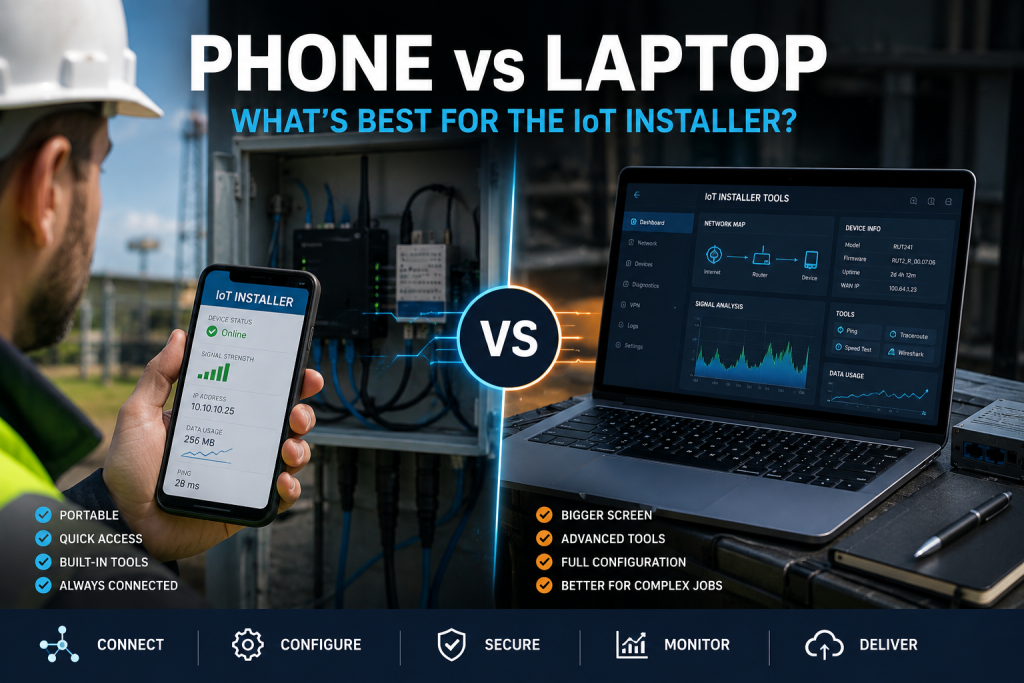
Do IoT Installers Still Need a Laptop? Phone, Tablet and the Field Toolkit
A modern phone or a cheap Linux tablet can now do most of what an installer used to open a laptop for. The interesting question is not whether it can, but where the line falls, and when the full laptop still earns its place in the bag.
For a large share of IoT installs, an Android phone with a USB-C Ethernet adapter covers the job, and Samsung DeX, native Android desktop mode or a cheap Linux tablet extend it further. iPhones now do wired Ethernet but still hide the network settings an installer needs. Keep the full Windows or Linux laptop for packet capture at depth, vendor firmware tools and awkward drivers.
The question worth asking
The previous piece in this series, on testing and commissioning an IoT installation, worked through the whole field sequence, and one thing stood out: almost none of it needed a heavyweight machine. A browser, a terminal, a handful of open tools, a network port and a serial adapter cover most of the job.
So it is fair to ask whether the laptop is still the right thing to carry. The honest answer is that a phone or a cheap tablet handles far more of the work than most engineers expect, and that for an awkward ten to twenty per cent of jobs, nothing replaces the full laptop from the first piece in this series. The trick is knowing which is which.
iPhone, Android and the laptop: what each can actually do
Forget the usual phone comparisons about cameras. Judged against real field tasks, the four options separate clearly.
| Field task | iPhone | Android | Ubuntu tablet | Laptop |
|---|---|---|---|---|
| Configure a router in a browser | Full | Full | Full | Full |
| USB-C to Ethernet | Auto only | Full | Full | Full |
| Set a static IP on the wired link | No | Yes | Yes | Yes |
| Ping, traceroute, DNS checks | Good | Full | Full | Full |
| Scan the LAN for devices | Limited | Full | Full | Full |
| SSH to a router | Good | Full | Full | Full |
| Serial / RS232 console | Limited | Good | Full | Full |
| Modbus tools | Limited | Good | Full | Full |
| Packet capture | Limited | Partial | Full | Full |
| Run Linux network utilities | No | Partial | Full | Full |
| Desktop-style working | Limited | Full | Full | Full |
Apple has closed part of the gap. A USB-C iPhone now takes a USB-C Ethernet adapter and iOS handles the driver itself, plug and play. What it still will not do is let you configure that connection: there is no user-accessible way to set a static IP, DHCP options, a subnet mask, a DNS server or a VLAN over Ethernet. iOS assigns an address by DHCP and hides the rest. On a site where a device sits on a fixed LAN with no DHCP, that is a hard stop.
Android is a different proposition. It exposes network configuration, drives a far wider range of USB peripherals and serial adapters, and can run a genuine Linux toolset. That is why, for field engineering, an Android phone is the stronger starting point.
Android: DeX, desktop mode and a lapdock
Two developments make Android interesting beyond the handset. Samsung DeX has offered a desktop workspace for years, and as of Android 16 QPR3 a desktop mode is now a native part of Android, so any phone with USB-C DisplayPort output can drive an external screen into a windowed desktop. Add a USB-C engineering hub with Ethernet, USB-A and serial adapters, and the phone becomes a compact commissioning tool. For deeper work, Termux puts a Linux command line and many of the same network utilities on the device itself.
The neat extension is a lapdock: a screen, keyboard, trackpad and battery with no processor of its own, powered by the phone over USB-C. The current NexDock 6 is a 14-inch, 1920 by 1200 example at around 229 dollars, and it charges the phone while you work. The engineer carries a phone and a thin shell, gets a laptop-style workspace on site, and the phone goes back in a pocket at the end. There is no second machine to keep charged and updated.
Do not assume a USB-C Ethernet adapter will keep working across updates. A recent Samsung One UI release dropped support for some third-party Ethernet adapter chipsets, and adapters that had worked on the Galaxy S25 Ultra stopped being recognised. Prove your exact adapter on your exact phone and firmware before you rely on it in the field, and carry a known-good spare.
The Ubuntu tablet option
If the aim is unrestricted Linux in something you can hold, a small x86 tablet running full desktop Ubuntu, plus a USB engineering kit, is arguably the sweet spot. It gives you Wireshark, Nmap, arp-scan, the serial and Modbus tools and everything else, without a mobile operating system getting in the way.
Ready-made industrial options exist. The Emdoor EM-I16J ships as a 10.1-inch rugged tablet with Ubuntu, 4G, GPS, a native RS232 port and Ethernet, though it is an original-design-manufacturer product bought through resellers rather than off a UK shelf. In the UK, the Conker LX88 and LX108 are supplied as rugged Ubuntu tablets and set the commercial benchmark at roughly 1,069 and 1,339 pounds, though they currently ship on Ubuntu 20.04, so confirm support for the version you want before committing. The do-it-yourself route, a cheaper x86 tablet with vanilla Ubuntu and a USB kit, gets most of the way for far less.
Many devices sold as rugged "IoT tablets" are actually vehicle or panel-mounted computers, with rear-facing aviation connectors and no internal battery. They are not something an engineer carries around a site. Before buying, confirm the device is genuinely handheld and battery-powered, and verify that Wi-Fi, cellular and suspend and resume all work under your chosen Ubuntu version.
The field toolkit that ties it together
Whatever the hardware, the value lives in a defined, repeatable tool set rather than the device itself. That is the same software list an engineer would preload on the laptop: a terminal and SSH client, Wireshark, an IP scanner and Nmap, a VPN client, a Modbus utility, an MQTT client and the vendor configuration tools, alongside a folder of firmware, templates, APNs and default addresses.
On a Linux device this can go a step further. A bootable Ubuntu image on a USB-C SSD, preloaded and pre-configured, will boot almost any x86 machine straight into a ready-made engineering environment, which means the same toolkit follows the engineer regardless of the hardware in front of them. The point is not a clever gadget; it is that the environment is reproducible, so every engineer works from the same known-good setup.
When you still need the full laptop
None of this retires the laptop. It narrows what it is for. The jobs that still justify a full Windows or Linux machine are the awkward ones: sustained packet capture on a busy link, vendor firmware and configuration utilities that only ship for Windows, obscure USB drivers, CAN bus tooling, firmware recovery, and running virtual machines. For an engineer who meets those regularly, the tiers in the laptop guide still apply.
For everyone else, the honest position in 2026 is that the phone already in your pocket, with the right adapters and a little preparation, covers the routine, and a Linux tablet or lapdock stretches it a long way further.
The right tool for the layer
This is where the series comes together. Decide what to carry, follow a fixed workflow on site, and match the machine to the job. The phone covers the routine, a tablet or lapdock stretches it, and the full laptop handles the awkward edge. Most engineers will end up carrying less than they think, and reaching for the heavy machine only when the job genuinely calls for it.
Frequently asked questions
Can you configure an IoT router from a phone?
Yes. Join the router's Wi-Fi or connect a USB-C Ethernet adapter, then use its browser interface. Android also lets you set a static IP on the wired link, which matters when a device sits on a fixed LAN with no DHCP. iPhones do not expose that setting over Ethernet.
Is Android or iPhone better for IoT field work?
Android, for field engineering. It exposes network configuration, supports a wider range of USB peripherals and serial adapters, and can run Linux tools through Termux and a native desktop mode. Modern iPhones now do wired Ethernet, but iOS still hides the static IP, DHCP, DNS and VLAN settings an installer often needs.
Can a phone replace a laptop for IoT installation?
For most routine installs, largely yes, especially an Android phone with a USB-C hub and adapters, or paired with a lapdock. Keep a full laptop for sustained packet capture, Windows-only vendor firmware tools, obscure drivers and CAN work.
What is a lapdock and is it useful for engineers?
A lapdock is a screen, keyboard, trackpad and battery with no processor; the phone supplies the compute over USB-C. With Samsung DeX or native Android desktop mode it gives a laptop-style workspace driven by the phone in your pocket, with nothing extra to keep charged and updated.
Can you run Ubuntu on a tablet for IoT work?
Yes. Industrial x86 tablets such as the Emdoor EM-I16J and the Conker LX range ship with Ubuntu, and a cheaper x86 tablet can run full desktop Ubuntu plus a USB engineering kit. Confirm that Wi-Fi, cellular and suspend work, and check the Ubuntu version, before relying on it.


