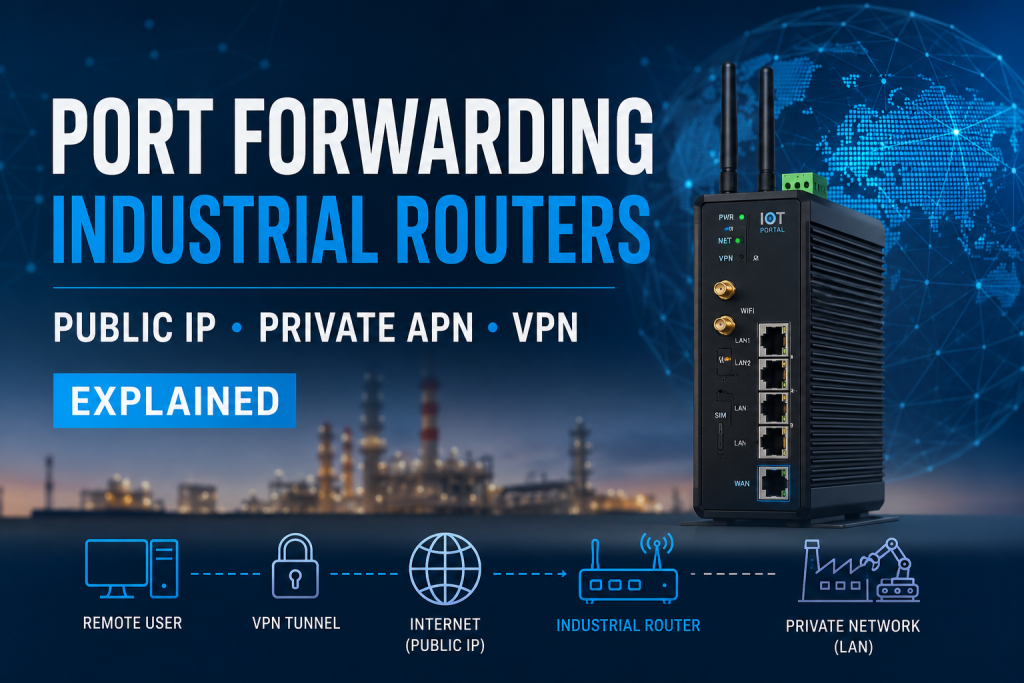
Port forwarding on industrial routers: what it is, when you still need it, and when you don’t
Port forwarding is a core feature of every industrial router – but in 2026 the market has fractured into distinct access models, each with completely different security characteristics. This guide explains all three clearly, covers the private IP SIM variants most engineers overlook, addresses the ping reboot problem that catches out even experienced deployments, and explains how a low-cost VPS changes the economics of the whole conversation.
What is port forwarding?
Port forwarding is a network address translation (NAT) rule that redirects incoming traffic on a specific port to a specific device on the local network behind a router. The router acts as a gateway: a packet arrives at the router’s IP address on a given port number, and the router rewrites the destination and sends it on to the correct internal device.
A typical rule looks like this:
80.80.80.80:8080 → 192.168.1.100:80
Traffic arriving at the router’s external address on port 8080 is forwarded to the NVR, PLC, BMS controller, or other device sitting at 192.168.1.100 on the LAN. The remote user never has a direct route to the LAN device – the router translates and forwards on their behalf.
Port forwarding has been a standard feature of industrial routers since M2M connectivity began. The real question in 2026 is not whether your router supports it – it almost certainly does – but whether your deployment actually needs it, and what the security implications are depending on how your SIM connectivity is configured.
The three remote access models
How you reach devices behind an industrial router depends almost entirely on what type of SIM connectivity you are running and how the engineer connects into that network. There are three fundamentally different models. They look superficially similar but have completely different security profiles, different operational requirements, and a different relationship to port forwarding.
Model 1: public IP SIM with port forwarding
Higher risk – internet-facingThe mobile operator assigns the SIM a fixed, publicly routable IPv4 address. The router sits directly on the public internet. An engineer anywhere in the world types the public IP and port number into a browser or application, and the router’s port forwarding rule translates that request to the correct LAN device.
This was the standard method for industrial remote access for many years. It is the simplest architecture to understand and configure. It still has valid use cases today. It also carries the highest risk of the three models.
A router with a public IP is visible to the entire internet immediately. Tools like Shodan scan the entire public IPv4 address space continuously and index every device they find. Security researchers using Shodan queries for industrial protocols have found over 770,000 exposed Modbus TCP instances indexed globally. Industrial routers, CCTV NVRs, HVAC controllers, and BMS systems regularly appear within hours of being connected.
The risks are layered. The most obvious is that attackers can probe and attempt to exploit exposed services. Less obvious but equally real: a public IP SIM receives continuous unsolicited traffic – port scans, bot probes, vulnerability scanners, failed login attempts – even when no legitimate engineer is accessing it. Individually the data is tiny. Across a fleet of devices it adds measurable and unnecessary cost to mobile data bills.
Model 1: the router holds a fixed public IP. Port forwarding maps external ports to LAN devices. The router is visible to the entire internet from the moment it connects.
Common misconfiguration: an installer sets up port forwarding for one port – perhaps port 37777 for a CCTV NVR – and accidentally leaves the router’s own web interface (port 80/443) and SSH (port 22) accessible on the WAN side. The engineer only intended to access one device, but the router itself is now reachable from the internet. Always lock down the router firewall explicitly; do not rely on the assumption that nobody will find it.
When is Model 1 still valid? Legacy systems that require inbound connections from a specific monitoring platform and cannot use a VPN. Temporary deployments such as construction sites or events where VPN infrastructure is not justified. Small single-device CCTV installations where the operator understands and accepts the security trade-off. Specialist industrial protocols that require inbound connectivity from a third-party system. In all these cases, the router firewall needs to be hardened explicitly and source IP allowlisting applied wherever possible.
Model 2: private IP SIM with operator network access
Reduced attack surface – port forwarding still requiredThis model is the one most frequently misunderstood – even by experienced engineers. The SIM is provisioned on a private APN. The mobile operator assigns each device a private IP address, typically from a 10.x.x.x or 172.x.x.x range. These addresses are not routable on the public internet. The router is invisible to Shodan and to external scanners. That is a meaningful security improvement over Model 1.
Here is the part that gets overlooked: the engineer still needs to reach the router from somewhere. To do that, the operator provides a way into their private network. This might be an IPSec or OpenVPN tunnel from the engineer’s premises into the operator’s core network, a dedicated leased line or MPLS connection into the operator’s infrastructure, or an operator-managed portal that proxies access to devices.
Once the engineer is inside the operator’s private network, they can route traffic to any device on that network using its private WAN IP. This is where the fleet management problem appears clearly. If you have 50 routers deployed across 50 sites – all on the same private APN – each one will have a different private WAN IP address. The engineer needs to know which IP belongs to which site, connect to the correct one, and then still use port forwarding on that router to reach the device sitting behind it on the LAN.
Model 2: the router is on a private APN and invisible to the internet. But the engineer enters via the operator’s network, hits each router’s private WAN IP, and still needs port forwarding to reach LAN devices. The mechanism is identical to Model 1 – just on a private network.
The key point about Model 2: port forwarding is still present. The mechanism is identical to Model 1. The difference is that the attack surface has contracted from the entire public internet to the operator’s private network only. That is a significant security gain – but the router is still performing NAT translation to reach LAN devices, and every port forwarding rule still needs to be correctly configured per site.
At 50 sites, manually tracking 50 different private WAN IPs and managing 50 separate sets of port forwarding rules is operationally demanding. This is one of the primary reasons Model 3 becomes attractive at scale.
Model 3: private IP SIM with overlay VPN
Lowest risk – no port forwarding neededThis model has become the professional standard for industrial IoT in the UK. The router – regardless of whether it has a public IP, private IP, CGNAT address, or dynamic IP – connects outbound to a VPN platform. Because the connection is outbound from the router, it requires no inbound ports to be opened, and it works on any SIM type including SIMs behind carrier-grade NAT (CGNAT).
Once the tunnel is established, the engineer joins the same virtual network as the router and can address LAN devices directly by their private LAN IP address. The router’s WAN IP address becomes irrelevant. There is no port forwarding because the engineer is effectively on the same network segment as the equipment.
Common overlay VPN platforms used with industrial routers include Teltonika RMS VPN (cloud-hosted, works with any Teltonika router via an outbound connection that does not require a public IP), self-hosted WireGuard or OpenVPN on a VPS, ZeroTier and Tailscale for peer-to-peer mesh networking, and IPSec hub-and-spoke configurations. Each approach removes port forwarding from the equation entirely.
In RMS specifically, the router connects outbound on port 15009 (with 443 as a fallback) to Teltonika’s cloud platform. RMS Connect then lets an engineer reach any IP device on the LAN – an NVR, a PLC, a BMS controller, an ANPR camera – without any port forwarding configured on the router at all.
Model 3: routers connect outbound to a VPN hub. The engineer joins the hub and reaches any LAN device directly by IP. No port forwarding configured anywhere. The router’s WAN IP is irrelevant.
The VPS approach: moving port forwarding and security to the cloud
Flexible – works for IoT, 5G FWA, and small office deploymentsThere is a fourth architectural approach that does not fit neatly into the three models above but deserves its own section because it solves several problems at once. Instead of attaching a public IP to the SIM card itself, you route the router’s internet traffic out through a low-cost virtual private server (VPS) and run all your security controls there.
The architecture works like this. The router – on any SIM type, including an unlimited data SIM on CGNAT – connects outbound via WireGuard or OpenVPN to a VPS. The VPS holds the fixed public IP. All inbound access, port forwarding rules, and security controls live on the VPS rather than on the router or the SIM.
Lumadock: a purpose-built option for this architecture
Lumadock is a managed VPS service designed specifically for this use case – providing a fixed public IP endpoint, VPN hub functionality, and the ability to run port forwarding, reverse proxies, and access controls at the cloud layer rather than at the router. A Lumadock instance costs a few pounds per month and can serve as the permanent public-facing address for one site or an entire fleet.
For IoT deployments, this means the router uses a cheap unlimited SIM with no public IP, the Lumadock VPS holds the fixed address, and all access controls are managed centrally at the VPS rather than across dozens of individual router configurations.
Explore LumadockWhy this architecture makes sense
The key insight is that the attack surface moves. With a public IP SIM the router is the internet-facing endpoint – and a router on a mobile data connection has limited capacity for security controls. With the VPS approach the router is invisible; the VPS is the internet-facing endpoint, and a VPS can run a full security stack that a router cannot.
- Fail2Ban to block repeated failed login attempts automatically
- Geo-blocking to drop traffic from countries you do not operate in
- Intrusion detection and logging with a proper audit trail
- Multi-factor authentication on the VPN access layer
- Centralised certificate management and reverse proxies
- HTTPS termination with proper TLS certificates rather than self-signed
Port forwarding still exists in this model – but it lives on the VPS, not the router. A rule on the VPS forwards an inbound connection on a specific port through the VPN tunnel to a device on the router’s LAN. The LAN device is never directly internet-facing at any point in the chain.
The unlimited SIM advantage
Most unlimited mobile data SIMs sit behind CGNAT and do not offer public IP addresses. Historically that made them unsuitable for any deployment requiring remote access. With a VPS acting as the hub, CGNAT becomes irrelevant. The router makes an outbound VPN connection to the VPS; all access flows through that tunnel. The SIM simply provides data connectivity – the VPS provides the address.
This has a secondary benefit. A public IP SIM receives continuous background internet noise – scans, probes, bot traffic. That data counts against your usage even when nobody legitimate is connecting. A SIM behind CGNAT on a VPS tunnel receives only your own encrypted VPN traffic. For high-volume deployments, the data saving is real.
Where this works particularly well
- 5G FWA and small office deployments where an unlimited SIM is more cost-effective than a fixed IP SIM
- MSPs managing multiple sites who want centralised security controls rather than per-router firewall rules
- IoT deployments that still need occasional inbound port access for a legacy monitoring platform but want to avoid a public IP SIM
- Any deployment where the mobile operator does not offer fixed public IPs but remote access is required
Side-by-side comparison
| Factor | Model 1: public IP SIM | Model 2: private IP + operator | Model 3: overlay VPN | VPS hub approach |
|---|---|---|---|---|
| Port forwarding needed? | Yes – on router | Yes – on router | No | Optional – on VPS |
| Router internet-facing? | Yes | No | No | No |
| Visible to Shodan? | Yes | No | No | VPS only, not router |
| Works on CGNAT SIM? | No | N/A | Yes | Yes |
| Fixed public IP available? | Yes – on SIM | No | No | Yes – on VPS |
| Background scan data waste? | Yes | No | No | No |
| Security controls available | Router firewall only | Operator + router firewall | VPN platform | Full Linux security stack |
| Fleet management at scale | Manual per device | Manual IP tracking | Managed via platform | Centralised via VPS |
| Typical cost overhead | Fixed IP SIM premium | Private APN setup cost | VPN platform subscription | A few pounds/month VPS |
Private IP SIM cards: understanding what you are actually buying
The term “private IP SIM” covers a range of products that behave very differently in practice. This is an area where assumptions cause real problems in the field. There are broadly four configurations, and which one you have determines not just your access model but your resilience options too.
Private IP with internet breakout
The SIM has a private IP on the operator’s APN, but the operator routes outbound internet traffic via a NAT gateway. The device can reach cloud platforms, MQTT brokers, and HTTPS APIs but cannot receive inbound connections from the internet. Most consumer-grade IoT SIMs and CGNAT SIMs work this way. Ping reboot to 8.8.8.8 works fine.
Private IP with no internet breakout
The SIM is on a closed private APN with no route to the public internet at all. Traffic routes only within the operator’s private network or to your own infrastructure. Maximum security isolation. Used in utilities, critical infrastructure, and secure M2M estates. Ping reboot to 8.8.8.8 will cause a reboot loop – see below.
Private IP with selective breakout
The operator applies firewall rules or destination whitelisting at the APN level. The device can only reach specific approved IP addresses or domains. All other internet traffic is dropped. Combines good security posture with the flexibility to reach approved cloud services. Ping reboot target must be an approved destination.
Private IP with private breakout to your network
Traffic from devices on the APN is routed directly into your own network via an IPSec tunnel, leased line, or MPLS connection from the operator. No internet exposure at all. The device appears to be on your corporate network. This is the classic enterprise private APN – Model 2 in practice. Ping target should be a server on your own network.
When specifying SIM connectivity for a new deployment, ask your provider explicitly which type you are getting. “Private IP SIM” alone does not answer the question. The difference between Type A and Type B has significant implications for how you configure resilience monitoring.
The ping reboot problem on private IP SIMs
Ping reboot (sometimes called ICMP check or cell ICMP check) is a connectivity watchdog built into virtually every industrial router. It works by periodically sending a ping to a specified IP address. If pings fail consistently, the router assumes the data connection has silently broken and takes corrective action – typically restarting the modem interface or rebooting the device.
This matters because cellular connections can enter a broken state that the modem itself does not detect. The operator considers the PDP session active. The modem shows a valid IP address. The router’s status page reports a connected state. But no data actually flows. Without a watchdog, a router in this state stays broken indefinitely until someone physically power-cycles it.
The cost of a single engineer visit to power-cycle a remote router typically runs from £80 to £300 depending on distance and urgency. Across a fleet of hundreds of devices, manual recovery is not viable. Ping reboot is not optional on unattended deployments.
The default ping target in most routers – including Teltonika – is 8.8.8.8, Google’s public DNS server. On a public IP SIM or a private IP SIM with internet breakout (Type A), this works perfectly. On a private IP SIM with no internet breakout (Type B or D), it creates a serious operational problem.
Critical configuration issue: if your router is on a private APN with no internet breakout and ping reboot is configured to target 8.8.8.8, every ping will time out. The router will conclude the connection is down, trigger a reboot, come back up, ping again, time out again, and reboot in a continuous loop. The router becomes permanently unavailable. This catches out experienced engineers on real deployments regularly.
Equally, if you disable ping reboot entirely to avoid this problem, you lose the watchdog entirely. The router will not self-recover from silent connection failures.
What to ping on a closed private APN
On a Type B or Type D private APN, you need a target IP that exists inside the private network and will respond to ICMP. There are three options, in order of preference:
- A dedicated monitoring IP from the operator. Some providers maintain a specific IP within their private network infrastructure designed to respond to pings from devices on the APN. This is the cleanest solution – ask your connectivity provider explicitly whether they offer one. PingReboot.co.uk has a detailed guide on this covering how to approach your provider and what to ask for.
- The APN gateway IP. The gateway address assigned during the PDP session is often reachable – it is the first hop from the device into the operator’s infrastructure. You can usually find this in the router’s mobile interface status page. Not all operators allow ICMP to the gateway, so confirm with your provider before relying on it.
- A server on your own network. If the private APN routes into your own corporate or data centre network (Type D), ping any server on your side that responds to ICMP. This is the most reliable option because you control both ends.
Best practice: configure two ping reboot rules where the router supports it. Teltonika supports up to 30 combined ping and wget reboot rules. Use a shallow target (gateway IP) with “restart mobile interface” as the action, and a deeper target on your own network with “reboot device” as the fallback. If the first target goes offline for maintenance, the second prevents an unnecessary full reboot. This avoids false positives while catching genuine failures at both the modem and data path level.
Ping reboot as part of a resilience stack
Ping reboot should not be the only resilience mechanism on an unattended deployment. A complete stack includes:
- Ping reboot to catch silent data path failures and modem lock-ups that do not cause a disconnect event
- Dual SIM failover so that an operator-level outage switches to a second network rather than waiting for a reboot to fix something a reboot cannot fix
- Scheduled auto reboot (weekly is common) as a backstop to clear accumulated state, memory leaks, or edge-case failures that ping reboot cannot detect
- Remote management platform so that when a device does need intervention, an engineer can do it remotely rather than travelling to site
Cloud-reporting deployments: when port forwarding is irrelevant
A significant proportion of modern IoT deployments do not need remote inbound access at all for their primary function. If a device – a smart meter, an environmental sensor, an EV charger, a solar inverter, a telemetry unit – is configured to push data outbound to a cloud platform using MQTT, HTTPS, or a proprietary protocol, no inbound connection is needed. The device initiates the connection. Port forwarding, public IPs, and VPNs are all irrelevant to the data flow itself.
Remote access for commissioning, configuration, and maintenance is a separate question to live data reporting. Many deployments need both: outbound reporting (no port forwarding needed) plus occasional inbound access for engineering work (which is where Models 1, 2, 3, or the VPS approach apply). Getting clear on which function requires which connectivity is the first step in designing the right solution.
Edge computing adds another dimension. Routers like the Teltonika RUTC series can run Docker containers locally, processing sensor data on-device and sending only filtered or aggregated results upstream. When processing happens at the edge, the need for an engineer to reach through to individual connected devices reduces further – though firmware updates, configuration changes, and fault diagnosis still require some form of remote access.
Security principles for 2026
- Never leave the router web interface or SSH accessible on the WAN side unless you have a specific operational reason. Disable or firewall them as a default step during commissioning.
- Restrict port forwarding rules to the minimum ports required for the specific application. Do not forward entire port ranges.
- Apply source IP allowlisting wherever possible so that only traffic from your own IP addresses or the operator’s network can reach forwarded ports.
- Audit port forwarding rules periodically. Rules added for commissioning or testing are regularly left open permanently on production devices.
- Treat industrial protocols as inherently insecure at the network level. Modbus TCP, BACnet, and DNP3 have no built-in authentication. Never expose these protocols beyond the minimum required network boundary.
- Configure ping reboot correctly for your SIM type before deployment, not after the first silent failure in the field. Check whether your SIM has internet breakout before setting
8.8.8.8as the ping target. - For critical infrastructure, utilities, and organisations subject to NIS2 or sector-specific cybersecurity requirements, treat direct internet exposure of OT networks as unacceptable. Private APN or VPN is the baseline, not an upgrade.
Frequently asked questions
Does a private IP SIM mean I no longer need port forwarding?
Not automatically. If you access the router via the mobile operator’s private network (Model 2), you still need port forwarding on the router to reach LAN devices – the mechanism is identical to Model 1, just on a private network rather than the public internet. Port forwarding only becomes unnecessary if you use an overlay VPN (Model 3) that places you directly on the same virtual network as the router’s LAN, or if you use the VPS approach where port forwarding moves to the cloud layer.
I have 50 routers on a private APN, all with different WAN IPs. How do I manage this?
This is a common pain point with Model 2 deployments. Options include: asking your operator for static private IP addressing so each site has a predictable, fixed WAN IP; using a device management platform like Teltonika RMS that identifies routers by device ID rather than IP; or moving to Model 3 with an overlay VPN hub where each router registers itself by name or ID and you no longer need to track WAN IPs at all. At 50 devices, a managed platform is strongly recommended over manual IP tracking.
My router is on a private APN with no internet access. My ping reboot is set to 8.8.8.8. What happens?
Every ping will fail and the router will conclude the connection is down. It will reboot, come back up, ping again, fail again, and reboot in a continuous loop. The router becomes permanently unavailable. Change the ping target to an IP within the operator’s private network – the APN gateway address or a dedicated monitoring IP from your provider. Contact your connectivity supplier before deploying ping reboot on a closed APN and ask specifically for a pingable target within the private network. See pingreboot.co.uk for configuration guides.
Does Teltonika RMS require a public IP SIM?
No. RMS uses an outbound connection from the router to Teltonika’s cloud platform on port 15009, with 443 as a fallback. It works on any SIM type – public, private APN, CGNAT, or dynamic. You do not need a fixed public IP for RMS to function. If you need inbound connectivity outside of RMS for a third-party platform that connects inbound to a fixed IP, a fixed IP SIM or a VPS approach is worth considering alongside RMS.
What is the difference between a private IP SIM with internet breakout and one without?
A private IP SIM with internet breakout can initiate outbound connections to the public internet – cloud platforms, MQTT brokers, DNS servers. It simply cannot receive inbound connections from the internet. A private IP SIM without internet breakout has no route to the public internet at all. Traffic routes only within the operator’s private network or your own infrastructure. The second type is more secure but requires that all services the device needs – including your ping reboot target – are reachable within the private network.
Can I use port forwarding through a VPS rather than directly on a public IP SIM?
Yes, and this is often the better approach. The router connects outbound via VPN to the VPS. The VPS holds the fixed public IP. A port forwarding rule on the VPS forwards inbound connections through the VPN tunnel to the LAN device. The router and SIM never need a public IP, the SIM can be an unlimited CGNAT connection, and all security controls live on the VPS where you have a full Linux security stack rather than just a router firewall. Lumadock is one option worth looking at for this.
What industrial protocols are most dangerous to expose via port forwarding?
Modbus TCP (port 502) is the most significant – it has no authentication mechanism and any host that can reach it can read from and write to a PLC. BACnet (port 47808) has similar characteristics in building automation systems. RTSP video streams (port 554) on CCTV NVRs are frequently exposed with default or no credentials. VNC (port 5900) and RDP (port 3389) on industrial PCs are high-value targets for ransomware actors. If any of these need to be reachable remotely, VPN should be the access mechanism rather than direct port forwarding.
The bottom line
Port forwarding is not dead. It is present in public IP deployments and in private APN deployments where engineers access routers via the operator’s network. What has changed is that better alternatives now exist – overlay VPNs that eliminate port forwarding entirely, and the VPS approach that moves port forwarding and security controls to the cloud layer rather than leaving them on the SIM and router.
For new industrial IoT deployments in 2026, Model 3 or the VPS approach should be the default design choice depending on your specific requirements. For any deployment on a private APN, the ping reboot configuration must match your SIM type – a detail that is easy to overlook during commissioning and expensive to discover remotely at 2am.
Understanding which model you are actually running, and what the full operational implications of each are, is the foundation for any sensible conversation about IoT connectivity and security.
Related reading


