The Milesight Development Platform – Remote Management, Edge Computing, and Integration for Milesight Hardware
Milesight produces five distinct platform tools and two on-device programming environments. This post explains what each one does, which hardware it supports, and how they fit together – so you can pick the right tool for your deployment rather than work it out the hard way.
Why the Platform Layer Matters
Buying a good industrial router or LoRaWAN gateway is the easy part. The harder question is how you manage it six months after installation, when the site is 200 miles away and the configuration needs changing, or when a firmware update drops and you have 40 devices to push it to, or when the SCADA team wants a webhook firing every time a cellular link fails over.
This is the problem the platform layer solves. And Milesight has built a more complete platform ecosystem than most of their competitors – which is both a strength and a source of genuine confusion, because they have five distinct tools that do different but overlapping things. Understanding which one you need, and when you need more than one, is worth spending a few minutes on before you deploy.
The Five Milesight Platform Tools
Milesight Development Platform
Device connection, management, and custom application integration across the full Milesight hardware estate.
The Development Platform is Milesight’s current unified management environment. It handles the full lifecycle of a device deployment – onboarding, remote configuration, OTA firmware updates, real-time monitoring, alerting, and outbound integration to external systems via REST API and webhooks. It is cloud-hosted by Milesight and available at account.milesight.com.
The architecture is built around openness. Rather than being a closed vertical application, the Development Platform is designed to be the integration layer between Milesight hardware and whatever application sits above it – whether that is a custom-built SCADA dashboard, a third-party asset management platform, or a no-code tool like Beaver IoT.
- Device onboarding via Thing Specification Language (TSL) profiles with auto-provisioning on first activation
- Bulk operations across the full fleet – add, configure, delete, update firmware simultaneously
- Real-time dashboard showing device status, online/offline counts, recent alarms, and event logs
- REST API for triggering actions from external systems and reading device state programmatically
- Webhooks for pushing real-time event data to external platforms – comms loss, failover events, threshold breaches
- Multi-tenant architecture with role-based access control – suitable for MSPs and systems integrators managing multiple customer accounts
- Secure remote web and SSH access to individual devices without being on-site
- Private Cloud deployment option for organisations with data sovereignty requirements
Pricing: Free tier covers up to 10 devices with 1,000 API requests per 24-hour period and 2 webhook URIs per application. Professional tier is $1 per device per year with no device limit and significantly higher API and webhook quotas. Private Cloud is available on request.
Milesight DeviceHub
Dedicated remote management and access platform for Milesight routers and gateways – the predecessor to the Development Platform, still widely deployed.
DeviceHub predates the Development Platform and remains in active use across many existing Milesight deployments. Its primary focus is operational management of the router fleet – remote access, configuration push, firmware updates, and monitoring – without the API and integration layer that the Development Platform adds.
For organisations that need straightforward router fleet management without custom application development requirements, DeviceHub remains a capable and well-documented tool. It exists in two versions: a Regular version covering routers, CPE, and dongles, and an LNS (LoRaWAN Network Server) version for gateway fleet management.
- Remote configuration, firmware upgrade, and reboot across the full Milesight router range
- Real-time monitoring of critical router parameters – signal strength, active WAN path, VPN state, data usage
- Configuration profiles for repeatable provisioning across large deployments
- System log collection and graphical reporting across all managed devices
- LNS version adds LoRaWAN network server functions – gateway frequency management, sensor authorisation, data exchange
- On-premises installation option – free on-premises version supports up to 25 devices
Milesight’s current recommendation for new deployments is the Development Platform rather than DeviceHub. The Development Platform covers all the same device management capability and adds the integration layer on top. The primary reason to choose DeviceHub today is if an on-premises installation is required and the Private Cloud option of the Development Platform is not appropriate.
Node-RED on Milesight Hardware
Flow-based visual programming running directly on the router or gateway – no separate edge compute device required.
Node-RED is not a Milesight product – it is an open-source flow-based programming tool originally developed by IBM, now maintained by the OpenJS Foundation, with over 4,000 community-contributed nodes covering protocols, data sources, and services. Milesight has embedded Node-RED into their higher-specification routers and LoRaWAN gateways, making the device itself a programmable edge computing node.
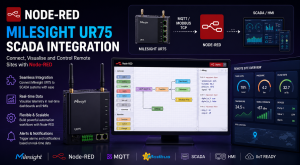
The practical value of this is significant. Instead of deploying a separate edge compute device to handle local data processing, protocol conversion, or conditional logic, the router or gateway handles it directly. A Milesight UR75 on a remote SCADA site can poll Modbus registers, transform the data, and publish to an MQTT broker – all running locally on the device, without a cloud dependency for the logic layer.
- Visual flow editor accessible via the device web GUI under APP > Node-RED
- Login credentials shared with the device web GUI by default
- Full Node-RED node library available – Modbus, OPC-UA, MQTT, HTTP, TCP, serial, and hundreds more
- Milesight-specific LoRa nodes for gateway deployments – read sensor data directly into flows
- Additional nodes installable from the Node-RED library within the device editor
- Flows run locally and persist across device reboots
- Read-only user accounts can be added for monitoring without edit access
Python SDK on Milesight Routers
Embedded Python 3.7 runtime on UR32 and UR35 for custom application scripting at the network edge.
For deployments using the UR32 or UR35 where Node-RED is not available, Milesight provides an embedded Python 3.7 runtime. Custom scripts run directly on the router, handling local logic such as Modbus polling, data formatting, threshold alerting, and protocol bridging. The Python environment has access to the router’s serial interfaces, I/O, and network stack.
Python scripting is more flexible than Node-RED for complex logic but requires a developer rather than a flow-builder. For applications where the UR32 or UR35 is the right hardware for connectivity reasons but edge compute is also required, the Python SDK avoids the need for a separate compute device.
Beaver IoT
Open-source IoT application platform from Milesight for rapid prototyping, dashboard development, and scalable IoT solution building.
Beaver IoT is Milesight’s open-source contribution to the IoT platform space. Released under the MIT licence and available free of charge, it covers the full stack from device connectivity through data processing, analysis, and visualisation. It integrates directly with the Milesight Development Platform, making it the natural choice for building custom dashboards and application logic on top of a Milesight hardware estate.
The positioning is as a rapid development environment – somewhere between a no-code tool and a full custom development stack. It is aimed at IoT developers who want to prototype quickly and scale to production without rebuilding. The open-source model also means it can be self-hosted and extended through community contribution.
- Full IoT application stack – device connectivity, data pipeline, analysis, and visualisation
- Direct integration with Milesight Development Platform as a data source
- Project encapsulation for building reusable, shareable integrations
- Self-hosted or cloud deployment
- MIT licence – free for commercial use, open to community extension
- Active Discord community for support and contribution
Milesight IoT Cloud
Managed cloud application server for Milesight LoRaWAN sensor devices – real-time monitoring, dashboards, and automation rules.
The IoT Cloud is a different product from the Development Platform, aimed at a different use case. Where the Development Platform is a management and integration tool for the device fleet, the IoT Cloud is an application server for LoRaWAN sensor data. It provides dashboards, triggers, and automation rules for Milesight sensors and gateways with a level of vertical integration that a generic platform cannot match – because it knows the data format and capabilities of every Milesight sensor natively.
It is the right tool for deployments where the primary requirement is monitoring Milesight LoRaWAN sensors through a pre-built application layer, without custom development. It is not the right tool if outbound API integration with third-party systems is the primary requirement – for that, the Development Platform with Beaver IoT or a custom application is a better fit.
- Native decoding and display for all Milesight LoRaWAN sensors – no custom payload formatters required
- Real-time dashboard with configurable widgets per sensor type
- Trigger and automation rules – push notifications, email alerts, relay control on threshold breach
- Mobile app for iOS and Android
- AWS-hosted infrastructure
- Free tier available (up to 10 devices)
How the Tools Fit Together
The confusion most people run into is treating these as competing options when they are actually complementary layers. A typical deployment at scale uses more than one.
| Requirement | Right tool |
|---|---|
| Manage a fleet of Milesight routers remotely | Development Platform or DeviceHub |
| Push firmware to 50 routers without site visits | Development Platform or DeviceHub |
| Fire a webhook when a router loses its primary WAN | Development Platform |
| Integrate router event data into a custom application via REST API | Development Platform |
| Run Modbus polling and MQTT publishing on a UR75 locally | Node-RED on device |
| Custom scripting on a UR32 or UR35 | Python SDK |
| Monitor 200 Milesight LoRaWAN temperature sensors on a dashboard | Milesight IoT Cloud |
| Build a custom dashboard on top of Milesight hardware data | Beaver IoT + Development Platform |
| Self-host everything on-premises | DeviceHub (on-premises) + Beaver IoT |
| Rapid IoT proof of concept with Milesight hardware | Beaver IoT |
Development Platform Feature Detail
For most new deployments, the Development Platform is the starting point. Here is what each of its main capabilities looks like in practice.
Remote Configuration and Bulk Operations
Once a router is connected to the Development Platform – which takes under a minute via the router web GUI – configuration changes can be pushed remotely. A configuration profile built on one device can be cloned and applied across an entire fleet. For large rollouts of SCADA outstations, remote monitoring nodes, or cellular-connected field devices, this eliminates the need to return to site for routine configuration changes.
OTA Firmware Management
Firmware updates are scheduled from the platform dashboard and delivered over the air. Updates can be staged across devices in sequence, reducing the risk of a bulk update causing simultaneous disruption across a live network. The task list shows pending, running, and completed upgrades per device. If a device goes offline mid-update, the task pauses and resumes when connectivity returns.
Alerting and Webhooks
Event triggers cover the things that matter in an operational deployment: network state changes, VPN tunnel drops, cellular failover events, data usage thresholds, and device reboots. Alerts go to the platform notification system. Webhooks push real-time event data to an external endpoint – a NOC dashboard, a ticketing system, or a custom application. For utility and critical infrastructure deployments where a comms-loss event needs to reach an on-call engineer within 60 seconds, the webhook path is what makes that possible without building a custom monitoring agent.
Remote Device Access
The platform provides direct web and SSH access to any connected router without requiring the device to have a fixed IP address or being on the same network. For reaching equipment behind the router – PLCs, HMIs, IP cameras, and sensors on the LAN side – MilesightVPN provides the encrypted tunnel layer. The two tools are complementary: the Development Platform manages the router fleet, MilesightVPN handles access to downstream devices.
Multi-Tenant Architecture
For systems integrators and managed service providers running deployments across multiple customers, the Development Platform’s multi-tenant workspace architecture is significant. Each customer project lives in a separate workspace with its own permission set. A single engineer dashboard provides visibility across all workspaces, with drill-down to individual device detail as needed. Role-based access control means customer-facing users can see their own devices without visibility into other accounts.
Development Platform vs DeviceHub – Comparison
| Feature | DeviceHub | Development Platform |
|---|---|---|
| Router remote management | Yes | Yes |
| Gateway management | Yes (LNS version) | Yes |
| Bulk OTA firmware updates | Yes | Yes |
| Remote web and SSH access | Yes | Yes |
| REST API access | Limited | Full |
| Webhooks for event data | No | Yes |
| Multi-tenant architecture | Basic | Enterprise-grade |
| Custom application integration | No | Yes |
| Beaver IoT integration | No | Yes |
| On-premises installation | Yes (free, 25 devices) | Private Cloud option |
| Free cloud tier | No | Yes (10 devices) |
| Paid tier | Licence required | $1/device/year |
| Milesight recommendation for new deployments | No | Yes |
Getting Started with the Development Platform
The Development Platform is available at account.milesight.com. Registration is free and the free tier covers up to 10 devices immediately – no payment details required to start. The steps to connect a router are straightforward:
- Register a free account at account.milesight.com and create a project
- Add the router as a device in the platform and copy the authentication code generated
- Log into the router web GUI and navigate to System > Device Management
- Paste the authentication code and save – the router status shows Connected within a few seconds
- The router now appears in the platform dashboard with live status, and remote access, configuration, and firmware management are all available immediately
The Professional tier at $1 per device per year is exceptionally competitive compared to equivalent managed device platforms. For context, Teltonika RMS charges per device per year at a significantly higher rate. For deployments where cost per managed device matters – large SCADA outstations, distributed IoT deployments, MSP portfolios – the Development Platform pricing is a meaningful differentiator in favour of Milesight hardware.
Frequently Asked Questions
Does the Milesight Development Platform work with all Milesight routers?
Yes. All current Milesight cellular router models – UR32, UR32L, UR32S, UR35, UR41, UR75, UF51, and UF31 – support the Development Platform. Connection is established through the router web GUI under System > Device Management using an authentication code generated in the platform. Refer to Milesight’s supported device list for the full compatibility reference including gateway models.
Is the Development Platform cloud-based or can it run on-premises?
The free and Professional tiers are cloud-hosted by Milesight. A Private Cloud option is available for organisations with data sovereignty requirements or a preference for on-premises infrastructure. DeviceHub also offers an on-premises installation supporting up to 25 devices on the free tier.
What is the difference between the Development Platform and MilesightVPN?
The Development Platform manages the device fleet – configuration, firmware, monitoring, and integration. MilesightVPN provides secure tunnelled access to the router and to equipment behind it on the LAN side (PLCs, cameras, sensors). Most deployments use both: the Development Platform for fleet management and MilesightVPN for direct remote access to field equipment.
Which Milesight routers support Node-RED?
Node-RED is available on the UR75 and UF51 routers. The UR32 and UR35 use the embedded Python 3.7 SDK instead. LoRaWAN gateways including the UG56, UG65, and UG67 also support Node-RED. The Node-RED editor is enabled via the device web GUI under APP > Node-RED.
How does the Development Platform compare to Teltonika RMS on price?
The Milesight Development Platform Professional tier is $1 per device per year. Teltonika RMS is priced significantly higher on a per-device, per-year basis. For large fleets or cost-sensitive deployments, the difference is material. Both platforms offer comparable core device management capability – the Development Platform adds the API and webhook integration layer that RMS does not provide as standard.
Do I need a fixed IP SIM to use the Development Platform?
No. The router initiates an outbound connection to the Milesight platform cloud using the authentication code – a standard dynamic IP SIM works fine for this. A fixed IP SIM is needed if you require direct inbound access to the router or to LAN-side devices outside of the MilesightVPN tunnel. See the industrial SIM cards section for guidance on when fixed IP is and is not necessary.
Milesight Hardware and Platform Tools
The Development Platform is free to start with up to 10 devices. The hardware that connects to it is covered in the sections below.