
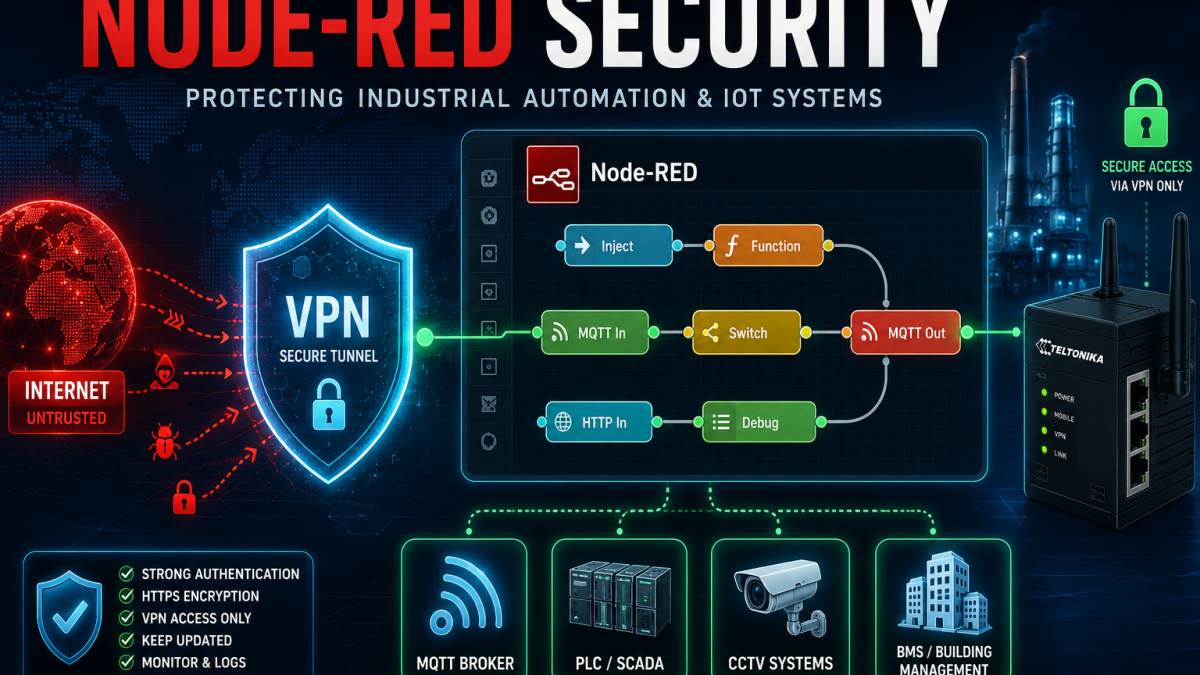
Node-RED Security: What Your Installation Actually Needs
Node-RED is not inherently insecure. Most security incidents happen because of how it is accessed remotely, not because of the platform itself. This guide walks through the real risk levels by deployment type and explains how to get remote access right.
What is Node-RED?
Node-RED is an open-source, flow-based programming platform originally developed by IBM and now maintained by the OpenJS Foundation. It provides a browser-based editor where users connect nodes representing devices, APIs, databases, and services, then deploy those flows to a runtime environment.
It is widely used across industrial and commercial IoT because it is accessible to non-developers yet powerful enough for production environments. Common applications include:
Industrial automation
Connecting PLCs, SCADA systems, Modbus devices and industrial sensors via MQTT or OPC-UA.
Building management
Monitoring and controlling HVAC, lighting, access control and energy metering in commercial buildings.
Remote monitoring
Collecting data from pump stations, substations, environmental sensors and agricultural sites.
CCTV and security
Triggering alerts, managing camera feeds and integrating with access control or alarm systems.
Edge computing
Running on cellular routers and IoT gateways to process data locally before sending to the cloud.
Smart metering
Reading utility meters, logging consumption and forwarding data to cloud platforms or dashboards.
Node-RED also runs directly on some industrial cellular routers, including certain Teltonika devices, making it available at the network edge without a separate server. For more on that specific use case, see our guide to running Node-RED on Teltonika routers.
The core principle: risk is introduced by remote access
This is the most important point in the whole article and worth stating clearly before anything else.
Node-RED running on a closed local network with no remote access path is not meaningfully at risk. A would-be attacker would need to be physically present on the network to reach it. That is a physical security problem, not a Node-RED problem.
Risk is introduced the moment you create a path for remote access. The method you use to create that path determines how much risk you are accepting. Some methods are safe. Some are not. The connection type – wired broadband, cellular, fibre – is largely irrelevant. What matters is whether Node-RED ends up reachable from the public internet without adequate protection.
The severity of that risk also depends on what Node-RED is connected to. A flow that reads a temperature sensor is a very different exposure to one that controls a BMS, writes to a PLC, manages MQTT credentials or runs exec nodes on the host operating system.
Security requirements by deployment type
Rather than a single set of rules, Node-RED security requirements scale with the deployment scenario. Here is how to think about each one.
Closed LAN – no remote access
The lowest risk category. Node-RED is installed on a local network with no external access path – typically a factory floor, a building plant room or a lab environment where all access is physical.
Minimal hardening still makes sense here:
- Enable admin authentication even if you think nobody external can reach it
- Restrict access to known IP addresses or network segments where possible
- Keep Node-RED and Node.js updated
- Remove contrib nodes that are not in active use
The reason to bother even in a closed environment is that insider threats, misconfigured switches and accidental network changes do happen. Authentication costs nothing to enable and removes the risk entirely.
Wired broadband site – IT-managed network
A commercial or industrial site on a fixed broadband connection where network access is managed by an IT team or a firewall appliance. Node-RED sits behind the corporate perimeter and remote access, if required, is handled via an existing corporate VPN or site-to-site tunnel.
Risk here depends heavily on IT discipline. If the corporate VPN is properly managed and Node-RED is not deliberately exposed, this is a low to medium risk environment. The main failure modes are:
- An engineer opens a port forward for convenience without telling IT
- The corporate VPN credentials are poorly managed or shared
- Node-RED is on a network segment that turns out to have broader external access than assumed
The recommendation is to treat Node-RED like any other internal system – authenticate it, document where it sits in the network and make sure access paths are deliberate rather than accidental.
Remote site – cellular with private APN
Many utility, infrastructure and industrial deployments use cellular connectivity with a private APN. Traffic travels across the mobile operator’s network directly to a private infrastructure endpoint, never touching the public internet.
This is a relatively low-risk configuration for Node-RED because there is no public-facing IP address for scanners to find. The risks that remain are:
- Weak or absent authentication on the Node-RED editor itself
- Compromised devices elsewhere on the private APN that could reach Node-RED laterally
- Human error – an engineer switching the SIM to a standard public data SIM for troubleshooting
Authentication should still be enabled. Private APN reduces exposure dramatically but it does not eliminate the need for basic hardening.
Remote site – cellular with public IP SIM
This is one of the most common high-risk configurations in field-deployed IoT. A cellular router at a remote site – a pump station, a substation, a CCTV installation, a building plant room – uses a fixed public IP SIM card for remote access. The engineer port-forwards TCP 1880 to reach Node-RED from anywhere.
Port-forwarding port 1880 directly to the internet is the single most common Node-RED security mistake. Automated scanners continuously sweep public IP ranges for open ports. A newly exposed Node-RED instance will typically receive its first probe within minutes. If the editor has no authentication, an attacker has immediate access.
The fix is straightforward: stop using port forwarding as the access method. A cellular router running WireGuard or OpenVPN provides the same remote access with none of the exposure. The engineer connects to the VPN, then reaches Node-RED on its local address. Port 1880 never needs to be public.
If you are using fixed public IP SIM cards for remote access to IoT infrastructure, it is worth reviewing your overall approach to IoT security hardening alongside the Node-RED question. Our IoT security guidance covers the broader picture.
Cloud-hosted Node-RED
Some deployments run Node-RED on a cloud VPS rather than an on-site device. This is common for centralised flow management, dashboard hosting or environments where there is no local hardware.
A cloud VPS is public by default. Every port you open is potentially reachable from anywhere in the world. This means:
- Never expose port 1880 directly – use a reverse proxy such as Nginx or Caddy in front of Node-RED
- Enable HTTPS via Let’s Encrypt or similar – do not run the editor over plain HTTP on a public server
- Enable admin authentication – this is non-negotiable on a public VPS
- Restrict access by IP address at the firewall level if your access addresses are predictable
- Consider whether a VPN tunnel to the VPS is more appropriate than a public-facing reverse proxy
Cloud-hosted Node-RED requires the most careful configuration because the attack surface is fully public by default.
Getting remote access right
Whatever your deployment type, if you need remote access to Node-RED the question is which method to use. Here is the hierarchy from safest to least safe.
VPN tunnel – the right approach
A VPN provides encrypted, authenticated access to the private network where Node-RED lives. The editor remains on a local address. Nothing is exposed to the public internet. Automated scanners never see it.
On cellular routers this is straightforward – most modern industrial routers support WireGuard, OpenVPN or IPsec natively. The engineer installs a VPN client on their laptop or phone and connects before accessing Node-RED. The flow looks like this:
↓ WireGuard / OpenVPN
Cellular or broadband router
↓ Private LAN
Node-RED (192.168.x.x:1880)
– Editor never publicly visible
– No port 1880 forwarded
– Scanned by nobody
Reverse proxy with authentication – acceptable if well configured
For cloud-hosted instances or cases where VPN is not practical, a reverse proxy such as Nginx or Caddy in front of Node-RED, combined with HTTPS and strong authentication, provides an acceptable level of protection. The key requirements are:
- HTTPS enforced – no plain HTTP access
- Strong admin credentials – not the Node-RED defaults
- Rate limiting on login attempts
- Access restricted by IP address at the firewall level where possible
This is more complex to configure correctly than a VPN and has a larger attack surface, but it is a reasonable approach for cloud deployments where a VPN tunnel adds unwanted complexity.
Direct port forwarding – avoid
Forwarding port 1880 directly to the internet should be avoided in all but the most temporary diagnostic circumstances, and even then only with authentication fully enabled. As a permanent access method it is not appropriate regardless of the strength of the Node-RED password, because the editor is then subject to continuous automated scanning, brute-force attempts and vulnerability probing.
What Node-RED can do – why access matters
It is worth being specific about why Node-RED access control matters beyond the editor itself. This is not a read-only dashboard. Depending on the flows installed, an attacker with editor access might be able to:
- Modify or delete flows entirely
- Harvest MQTT credentials, API keys and database passwords stored in flows
- Redirect data to an external destination
- Use exec nodes to run commands on the host operating system
- Use Node-RED as a pivot point to reach other devices on the same network – PLCs, BMS controllers, cameras, other routers
- Disable monitoring and alerting flows without triggering any immediate alarm
The more critical the systems Node-RED is connected to, the more seriously the access model needs to be treated. A flow controlling a BESS site, a water treatment installation or a smart building is not a low-stakes target.
Warning signs
If you suspect a Node-RED instance may have been accessed without authorisation, these are the signals to look for:
- Unexplained CPU or memory spikes on the host device or gateway
- Flows that appear modified or deleted when no legitimate changes were made
- Unknown MQTT subscriptions or publications appearing in broker logs
- Network traffic to unfamiliar IP addresses from the host device
- Failed login attempts in the Node-RED logs
- Large numbers of connection attempts to port 1880, 22 or 80 visible in router logs
- New user accounts appearing on the host operating system
Security checklist by deployment type
| Action | Closed LAN | Private APN | Public IP / Cloud |
|---|---|---|---|
| Enable admin authentication | Recommended | Required | Non-negotiable |
| Use a VPN for remote access | Not needed | Recommended | Essential |
| Enable HTTPS | Optional | Recommended | Required |
| Restrict access by IP | Optional | Recommended | Required |
| Keep Node-RED updated | Yes | Yes | Yes – promptly |
| Remove unused contrib nodes | Good practice | Good practice | Required |
| Never forward port 1880 | N/A | Correct | Correct |
| Back up flows and credentials | Yes | Yes | Yes |
For the full official guidance on authentication, HTTPS and credential encryption, the Node-RED security documentation is the authoritative reference.
Summary
Node-RED is a capable, well-maintained platform. The security incidents that occur around it are almost always the result of deployment decisions rather than platform vulnerabilities – specifically, the decision to provide remote access by exposing port 1880 to the public internet.
The solution is not to avoid Node-RED or to treat it as dangerous. It is to use the right remote access method for the deployment type, enable authentication, keep the platform updated, and treat Node-RED with the same care you would give any other system with control over physical infrastructure or sensitive data.
If you are not sure whether your current Node-RED deployment is exposed, check your router’s port forwarding table. If port 1880 is listed, that is where to start.