
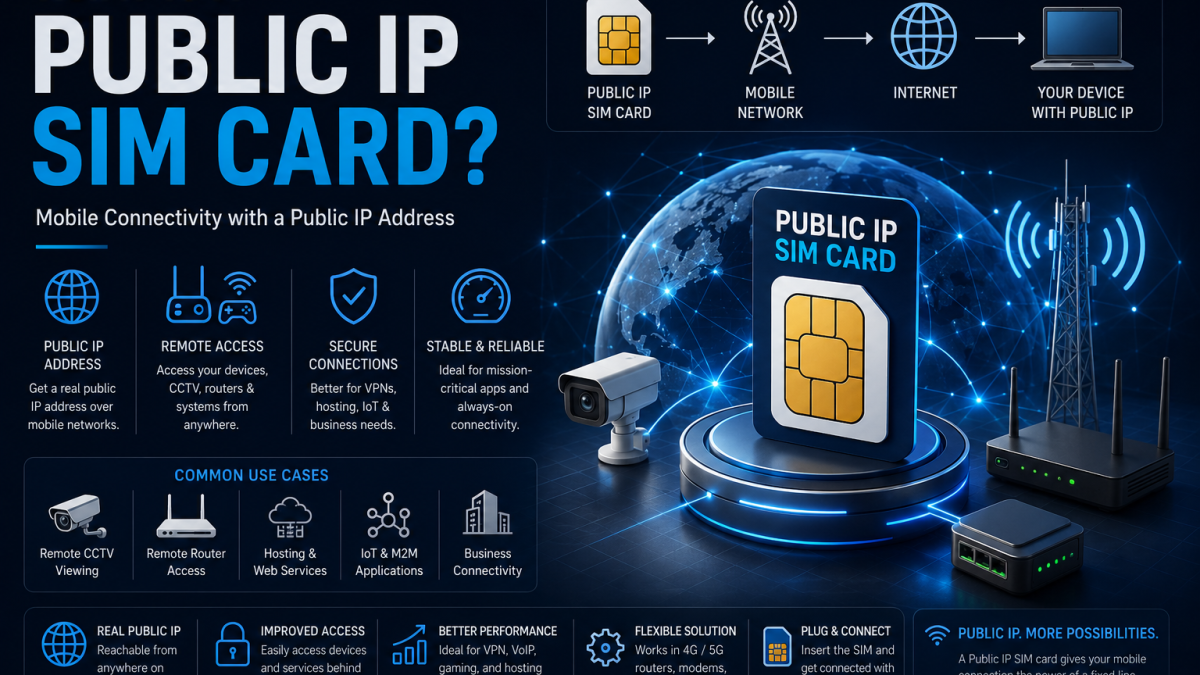
What Is a Public IP SIM Card?
Most SIM cards hide your device behind a shared address that changes constantly. A public IP SIM gives your device a fixed, permanent address on the internet – useful for remote access, but only safe if you understand what that means.
When you insert a standard SIM card into a router, modem or IoT device and connect to a mobile network, your device receives an IP address. But that IP address is almost certainly not yours alone, and it almost certainly changes every time the device reconnects.
That works fine for most consumer use. Browsing the web, sending data to a cloud platform, downloading firmware updates – none of that requires your device to have a consistent, reachable address.
But a large category of IoT and industrial applications needs something different. They need to connect back to a device rather than just from it. Remote access to a router’s management interface. A SCADA system reaching a remote PLC. A VPN server that needs to be reachable at a known address. Live monitoring of a remote cellular gateway. None of those work reliably with a standard dynamic SIM.
That is what a public IP SIM card solves.
The Difference Between a Standard SIM and a Public IP SIM
To understand the difference, it helps to know briefly how mobile network addressing works.
When a standard SIM connects to a mobile network, it is assigned a private IP address from the operator’s internal pool. That address is not accessible from the public internet. To reach the wider internet, outbound traffic is routed through the operator’s network address translation (NAT) layer, which maps many private addresses onto a smaller number of shared public addresses.
The result is that your device can reach out to the internet, but the internet cannot reach back in. Your device has no permanent, unique address that anything external can connect to directly.
| Feature | Standard SIM | Public IP SIM |
|---|---|---|
| IP address type | Private, shared via NAT | Public, routable from internet |
| IP address permanence | Dynamic – changes on reconnect | Fixed – same address every session |
| Inbound connections | Not possible without port forwarding workarounds | Direct – device is reachable from anywhere |
| Remote access | Requires dynamic DNS or cloud relay | Direct connection to known IP address |
| VPN server hosting | Not straightforward | Fully supported |
| Shodan / internet scanning visibility | Low – hidden behind NAT | High – permanently indexed |
| Typical monthly cost premium | – | £2 – £10 above standard SIM cost |
A public IP SIM card allocates a dedicated, routable IP address from the public internet address space to your device. That address does not change between sessions. Anyone who knows the address – or finds it through a scanning tool – can attempt to connect to it directly.
A public IP SIM does not just give your device an address. It gives your device a permanent presence on the public internet. Every port your router or device has open on that address is reachable from anywhere in the world, at all times.
What Is a Private APN?
Public IP SIM cards are often paired with a private APN (Access Point Name). These two features are related but distinct, and the terminology is worth clarifying because it causes confusion.
An APN is the gateway configuration that tells the SIM card which network path to use when connecting to the internet. The default APN on most SIM cards routes you through the operator’s standard public internet infrastructure.
A private APN is a dedicated gateway that routes your SIM card traffic through a separate, segregated network path – often directly into your organisation’s private network via a leased line or MPLS connection, bypassing the public internet entirely.
| Configuration | IP Address | Traffic Route | Typical Use |
|---|---|---|---|
| Standard SIM, default APN | Private, dynamic | Shared public internet | General data, cloud uploads |
| Public IP SIM, default APN | Public, fixed | Public internet | Remote access, VPN hosting |
| SIM with private APN | Private, fixed | Private network only | Enterprise M2M, SCADA, banking |
| Public IP SIM with private APN | Public, fixed | Private network + internet | High-security remote access |
For most IoT and industrial remote access applications, a public IP SIM on the standard APN is sufficient. Private APNs add cost and complexity and are typically justified for enterprise-scale deployments, regulated industries, or applications where traffic must never touch the public internet.
Where Public IP SIM Cards Are Used
Router and Network Management
Engineers managing cellular routers at remote sites – substations, plant rooms, retail units, unmanned facilities – use public IP SIM cards to connect directly to the router’s management interface. Without a fixed public IP, remote management requires workarounds such as cloud relay services or reverse tunnels, which add latency and complexity. With a fixed IP, a VPN connection to the known address gives direct access.
SCADA and Remote Monitoring
Supervisory control and data acquisition systems often need to poll remote outstations or receive inbound connections from a central server. A public IP SIM on the remote router allows the SCADA head-end to initiate connections to the known address reliably. This applies to water treatment, energy metering, pipeline monitoring, and utilities infrastructure.
CCTV and Video Surveillance
Remote CCTV systems – construction sites, rural properties, temporary deployments – use cellular connectivity. A public IP SIM allows the NVR or DVR to be accessed directly for live viewing and footage retrieval. Many CCTV installers use public IP SIMs as standard for any cellular-connected surveillance deployment.
VPN Server Hosting on a Cellular Router
Running an OpenVPN or WireGuard server on a Teltonika or similar cellular router requires the router to be reachable at a known address so that VPN clients can connect to it. A public IP SIM makes the router’s VPN endpoint directly addressable. Without it, a VPN server on a cellular connection is not practically usable for inbound client connections.
IoT Gateways and Data Concentrators
IoT gateways that need to accept inbound connections from management platforms, receive firmware pushes, or host local services such as MQTT brokers or Node-RED instances benefit from a fixed public IP. It removes the dependency on cloud relay infrastructure and allows direct peer-to-peer communication where that is operationally preferable.
The Security Implications of a Public IP SIM
A public IP SIM is a powerful tool. It is also a significant security responsibility. The convenience of permanent, direct reachability comes with a trade-off that every installer, IT manager and engineer using them needs to understand clearly.
A device on a public IP SIM is visible to the entire internet. It will be scanned. Tools like Shodan, Censys and automated port scanners continuously index public IP addresses and the services running on them. Your router, camera or gateway will appear in those indexes – typically within hours of first connecting.
That is not a reason to avoid public IP SIMs. It is a reason to treat every device running one as if it is on the public internet – because it is.
Default Credentials
A router or camera on a public IP SIM with factory default admin credentials is one of the most common and most serious security failures in IoT deployments. Automated credential-stuffing tools test thousands of default username and password combinations against exposed management interfaces continuously. Change credentials before the SIM is activated – not after.
Exposed Management Interfaces
The router’s web management interface, SSH port and Telnet port should not be accessible on the public IP address unless you have a specific, justified reason. Use a firewall rule to restrict management access to known IP addresses, or better, disable public access to management entirely and use a VPN for remote administration.
Unpatched Firmware
A router running outdated firmware on a public IP is a target. CVEs are published for router firmware regularly. Automated scanners search for devices running vulnerable versions within hours of a CVE becoming public. Keep firmware current. Enable Teltonika RMS alerts for firmware update availability if you are managing a fleet of devices.
Unnecessary Open Ports
Every open port is an attack surface. Review which services are genuinely needed on the public interface and close everything else. A router that only needs to serve a VPN endpoint should have exactly one port open externally – the VPN port. Nothing else.
Check your own exposure: If you manage devices running public IP SIM cards, search for your IP ranges on shodan.io. What Shodan shows you is what attackers already see. Our guide to Shodan covers how to do this and what to look for.
How to Secure a Device on a Public IP SIM
The security principles are straightforward. Following them consistently is what separates a well-deployed cellular network from a liability.
- Change all default credentials before the device goes live – admin username, admin password, and any application-level passwords
- Disable remote access to the management interface on the public IP – use VPN for remote admin instead
- Configure a firewall on the router to restrict inbound connections to only the ports and source addresses that are genuinely required
- Keep firmware updated – subscribe to vendor security advisories or use a remote management platform like Teltonika RMS to track update availability
- Disable unused services – Telnet, HTTP (use HTTPS), any protocol not in active use
- Use strong, unique credentials for any VPN or service endpoint hosted on the device
- Monitor the public IP regularly – run periodic Shodan searches or set up automated port scan monitoring to detect changes in what is exposed
- Document every public IP in use across your fleet – it is difficult to secure infrastructure you have not inventoried
Public IP SIMs and Continuous Monitoring
If you manage more than a handful of devices on public IP SIM cards, ad-hoc manual checks are not a reliable security approach. Firmware gets updated. Configurations change. A new port gets opened for a temporary purpose and never closed. A device is replaced and comes back online with default settings.
Each of those events changes your exposure. And you will not know about it unless you are monitoring continuously.
A lightweight VPS running open-source tools – Nmap for port monitoring, Greenbone for vulnerability scanning, Uptime Kuma for availability alerting – can watch all of your public IP addresses simultaneously and alert you the moment something unexpected appears. The cost is around £5 per month. The alternative is finding out about a new exposure when something goes wrong.
Monitor Your Public IP Infrastructure
Our step-by-step guide covers building a continuous exposure monitoring platform for your public IP addresses – including SIM-connected devices – for less than £5 per month.
Build Your Monitoring PlatformGetting a Public IP SIM Card in the UK
Public IP SIM cards are available from a range of UK IoT SIM providers. They are not always the default option – you typically need to request them specifically, and some providers charge a small premium over their standard SIM pricing.
When evaluating providers, the key questions to ask are:
- Is the IP address truly static – the same on every reconnect – or just a long-lease dynamic address?
- Is the IP address genuinely public and routable, or is it a private address within the operator’s network?
- Is a private APN available if required for your application?
- Which networks does the SIM roam on, and is the fixed IP preserved across network changes?
- What is the data pricing model – pooled data, per-SIM allowances, or pay-as-you-go?
- Is there a management portal for activating, suspending and monitoring SIM usage across a fleet?
For IoT and industrial deployments in the UK, multi-network SIM cards that maintain a fixed IP across multiple operators provide the best combination of coverage resilience and consistent addressability.
Related: IoT SIM Cards for UK Deployments – coverage, pricing and network options for cellular IoT connectivity.